

How to: Dimension Arc Length on Solidworks Drawing


How To dimension Arc Length on SolidWorks Drawing.
-
Step 1:
1. Start the drawing of the part to be dimensioned & find the view best suited for the arc dimension.

-
Step 2:
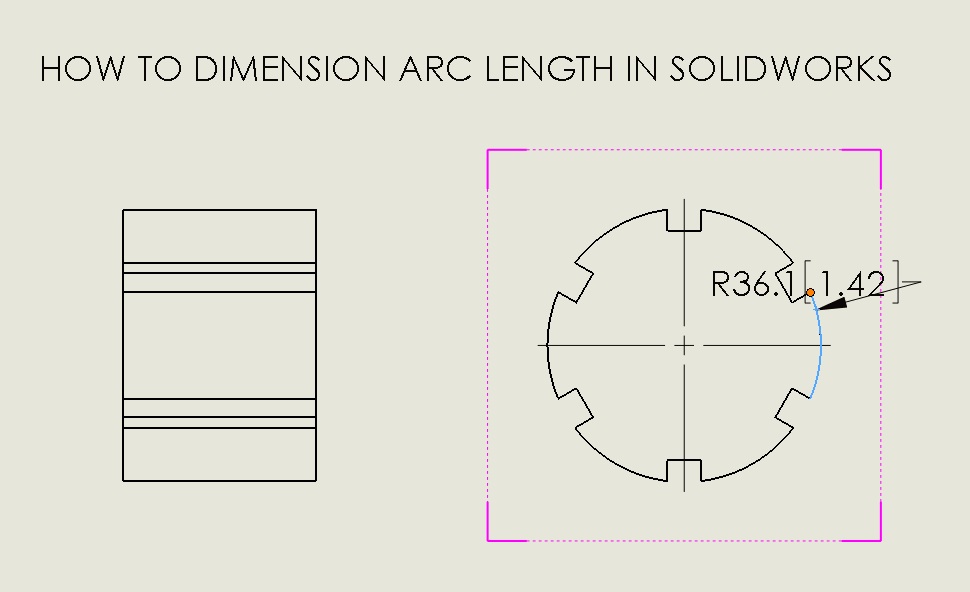
2. Click Smart Dimension and select the arc you’d like to define.

-
Step 3:
3. Select an endpoint of the arc.
-
Step 4:
4. Select the other endpoint of the arc.

-
Step 5:
5. Arc length dimension is now given.

-
Step 6:
6. As a preference you can change the leaders to show radially.

-
Step 7:
7. More options can be found by clicking Tools>Options.. “Document Properties” tab, expanding the “Dimensions” drop down and clicking “Arc Length”.


